So, any media file, of any flavor, generally has embedded “metadata”. embedded info on what exactly this is, it’s all nicely formatted into the appropriate fields so when you search for “Title” you search the title field instead of getting the name of the album/series whatever.
but if you get things off the internet…well, it’s a roll of the dice. maybe the last person didn’t care about metadata. so you’re starting all over from scratch.
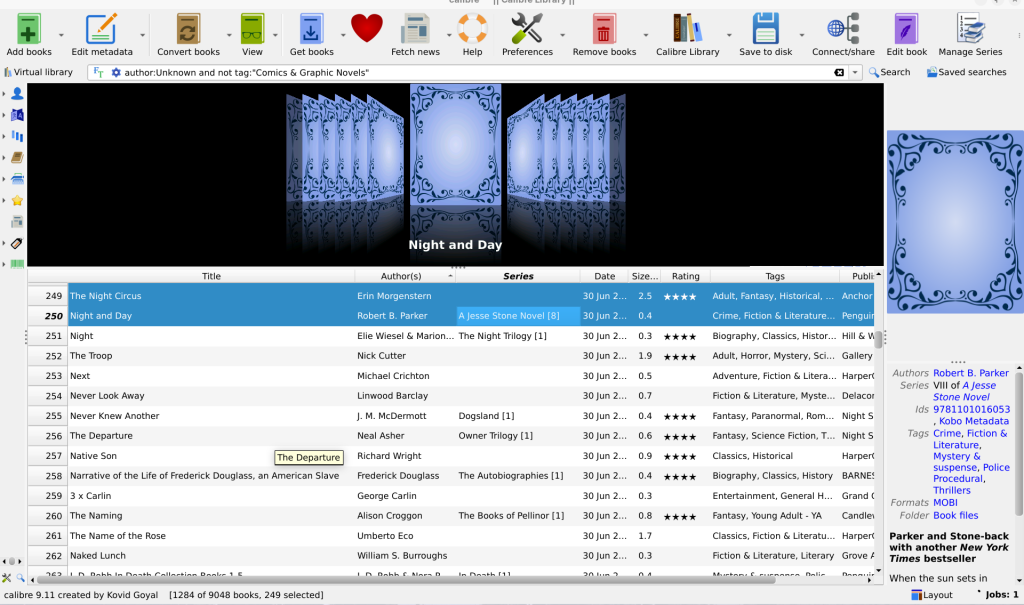
my latest “project” such as it is, has been to fix all the metadata and get everything into Calibre, the super fancy ebook management software. I have done video media fairly recently too, if the files aren’t correctly tagged they don’t go into Jellyfin quite right.
holy crap, is that ever…a thing! you can search and download metadata automatically, but only if what’s already there is good enough for it to find the properly formatted and tagged metadata. you can rename files, and then try again, but once again, it’s gotta be close enough for it to find the right thing. you can also scan for ISBNs in the text of the book, put those into the metadata fields, and then search again, using the ISBNs as part of the search, that considerably improves findability.
thousands. i have thousands of ebooks. many of which were not appropriately labeled with metadata. so i’ve been fixing them for days. and the search-and-download-and-label can take hours, even automated. the little “Jobs: 1” in the lower right corner? that’s 250 downloads of just covers, I think I’ve got the rest of the actual metadata …hopefully. it’s been an hour and it’s 80% done. it can find wrong info and stick it in there, and i’m sure i’ll find some in the coming years. but …should be 90% better. i hope.
that’s 250 out of 1284 books that didn’t have authors or covers when I started out. that leaves aside the comics, cuz those don’t have the same info as regular books and fixing that metadata is its own whole project, luckily i have only hundreds of those, not thousands. 😮💨